The Vault
build from scratch
OVERVIEW
Vault is a curated hub I built from scratch, showcasing AI-built products
& experiments by designers.
OVERVIEW
Vault is a curated hub I built from scratch to showcase AI-built products and experiments by designers, with a focus on both the work and the human stories behind it. The platform brings together product cards, creator notes, and a Prompt Directory so designers can discover ideas, learn from others’ workflows, and reuse prompts in their own practice.
MY ROLE
The goal was to build a space where design meets AI showcasing creative experiments and ideas by designers.
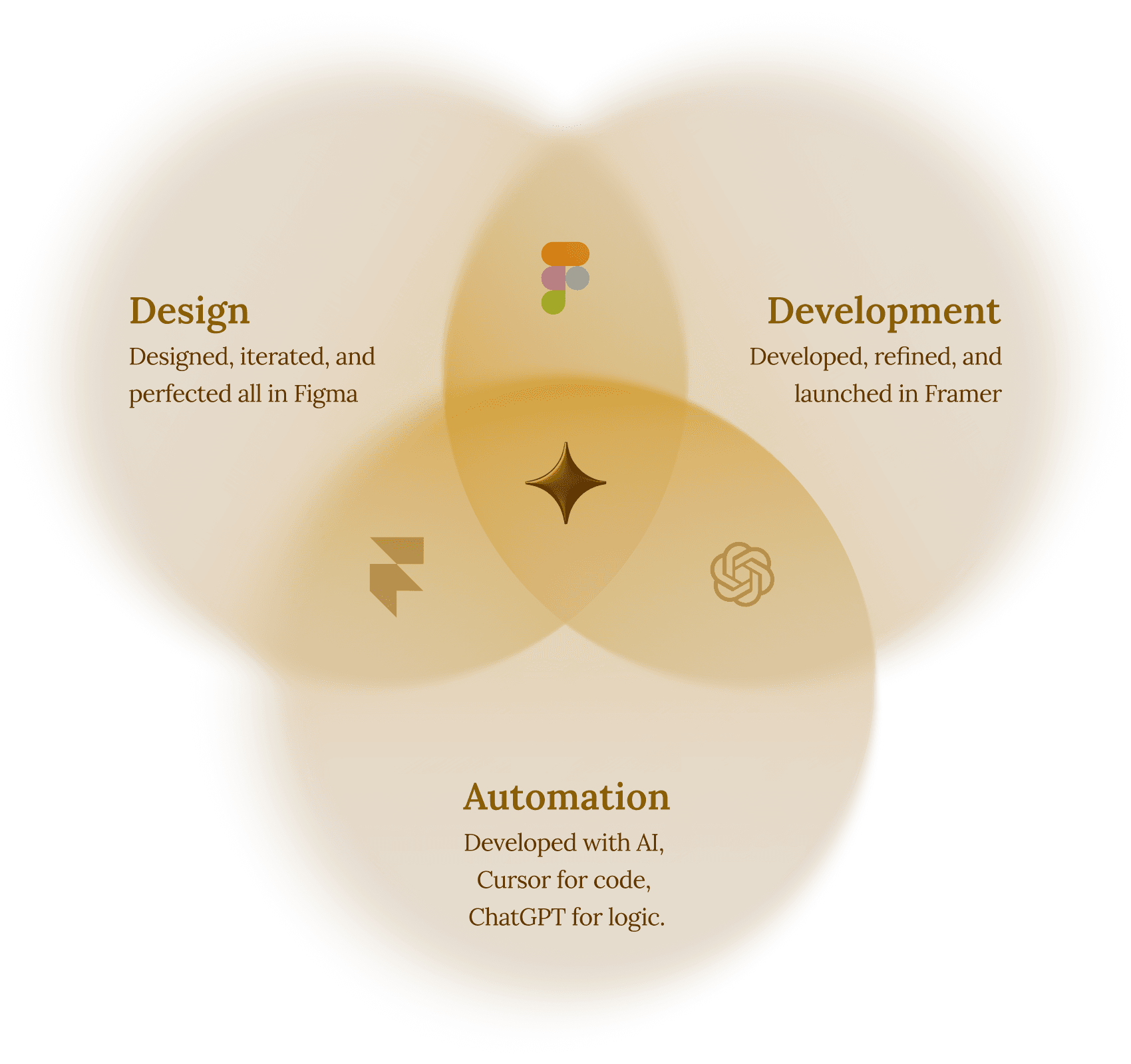
As a designer and developer, I crafted the UI/UX in Figma and handled development in Framer, ensuring the experience felt seamless and intuitive.
I also wrote a Python script that created a data pipeline for embeds, allowing projects to be listed directly on pages from the script itself, automating what was once a manual process.

RESEARCH PHASE
Secondary research
I started by studying how designers showcase their products and spotted four common patterns in how they present AI projects online.
Tools used
A lot of designers talked about the tools behind their work, and it helped me understand how their AI ideas actually came together.
DESIGN PHASE
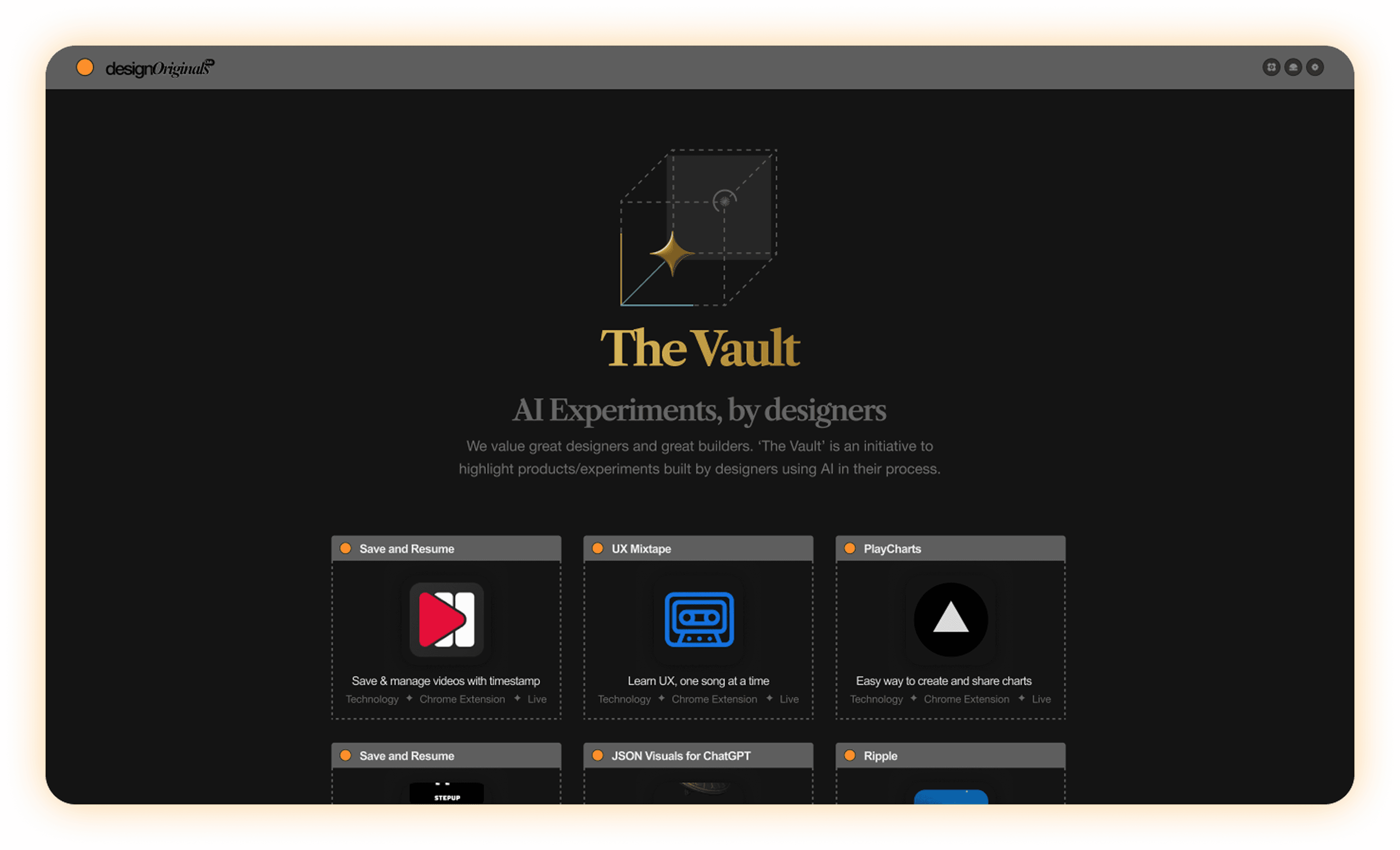
I prototyped multiple solutions using claude code
LIVE DESIGN
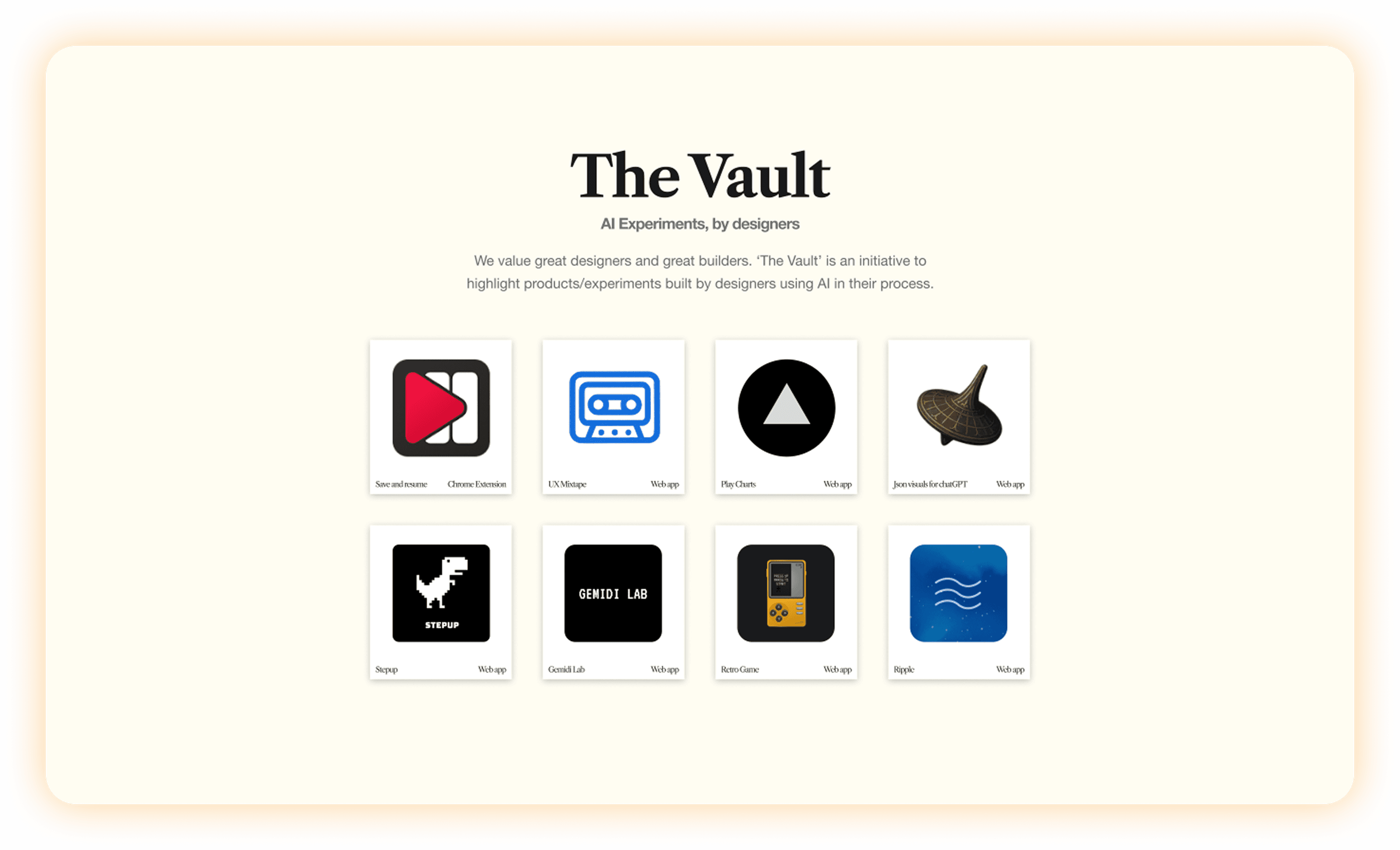
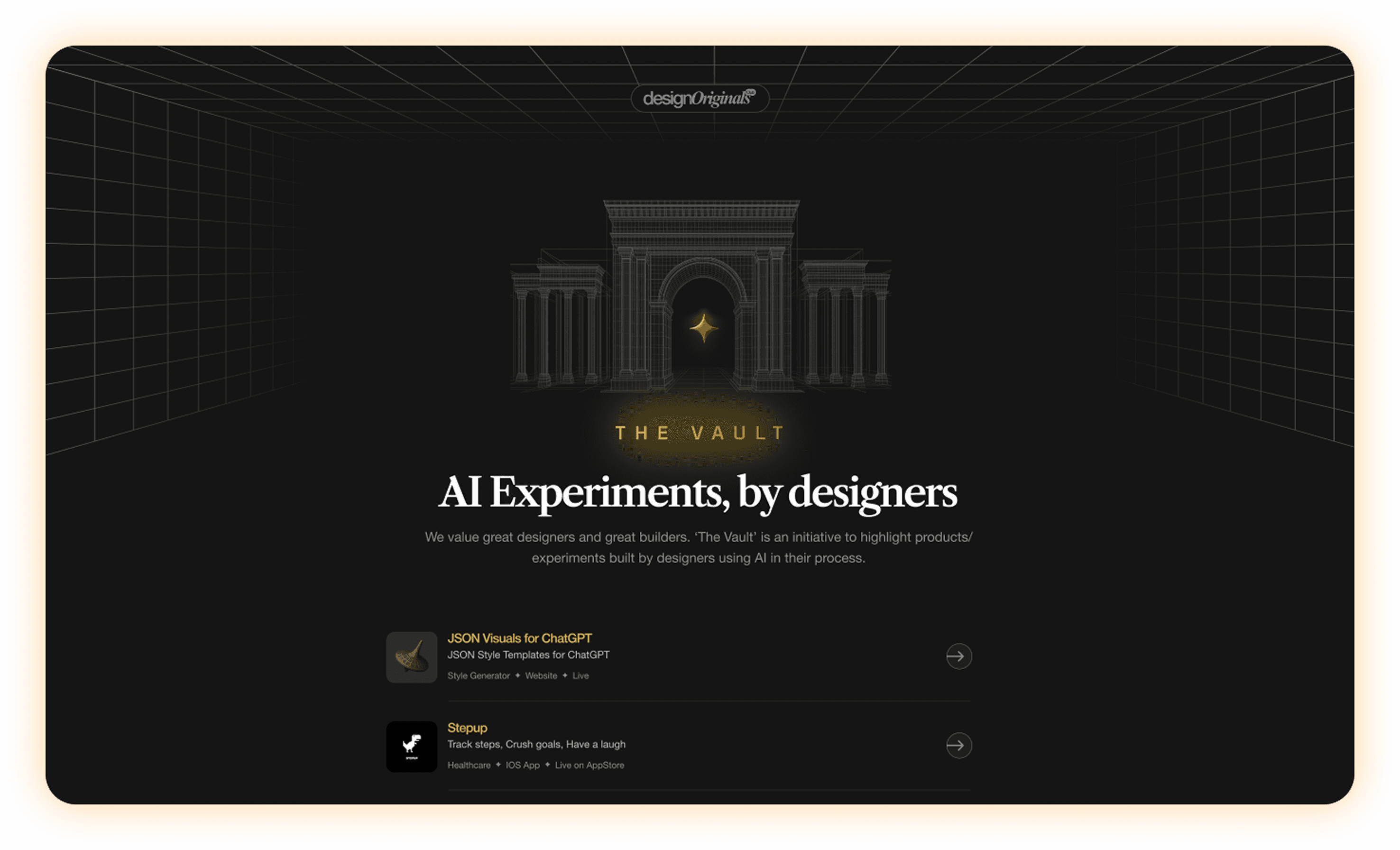
The final design took shape and went live
REVISITING RESEARCH
After the launch : Understanding how users
are using this platform.

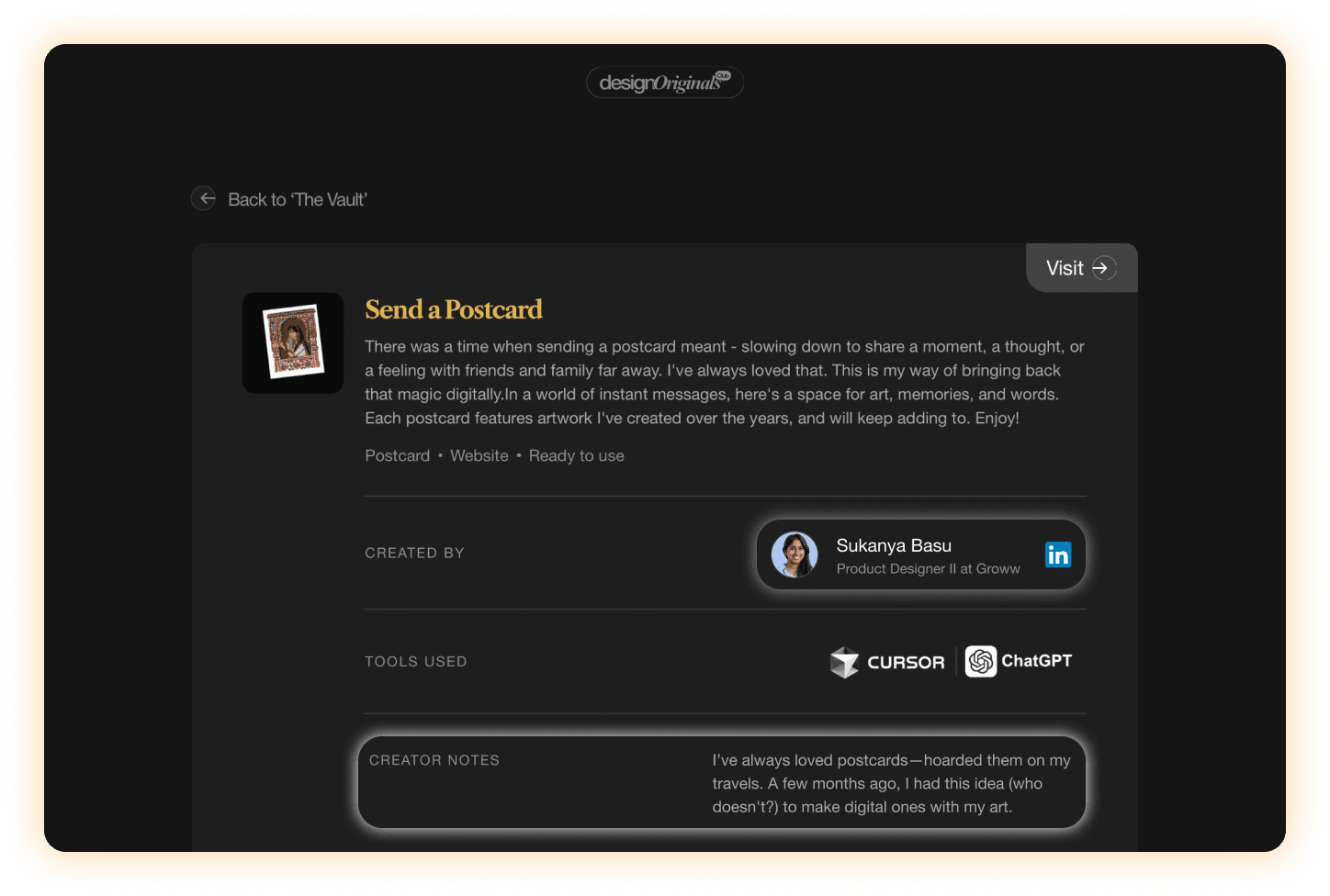
From a webinar where designers showcased their AI-made products,
I noticed that people wanted two things:
a way to connect with the creator and a glimpse into the story
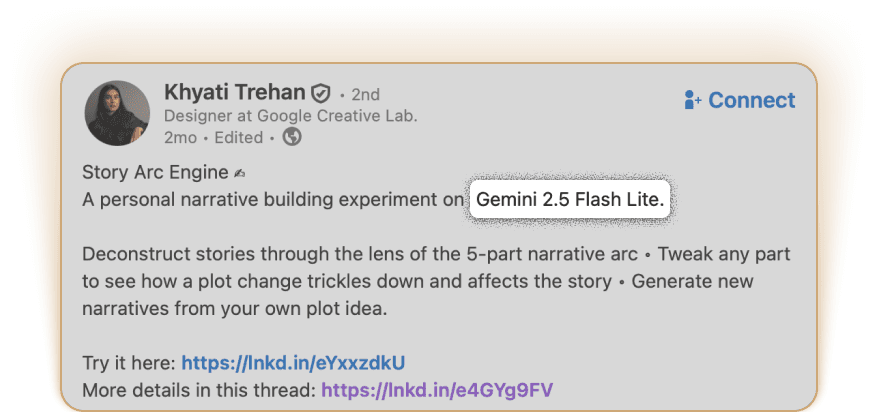
behind that work. So we added a LinkedIn button for easy connection and a small creator notes section to share the process.
Simple changes that made the whole experience feel more human.
From a webinar where designers showcased their AI-made products,
I noticed that people wanted two things:
a way to connect with the creator and a glimpse into the story
behind that work. So we added a LinkedIn button for easy connection and a small creator notes section to share the process.
Simple changes that made the whole experience feel more human.

EXPLORING COMPONENTS
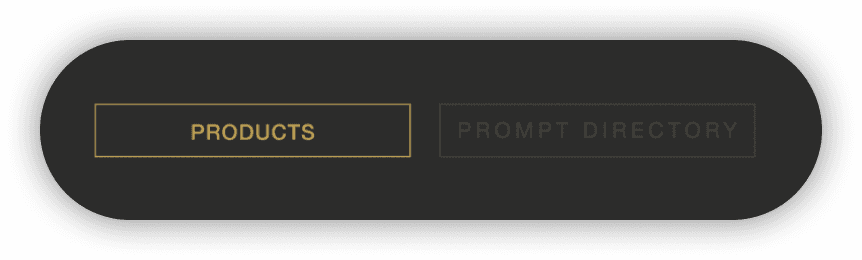
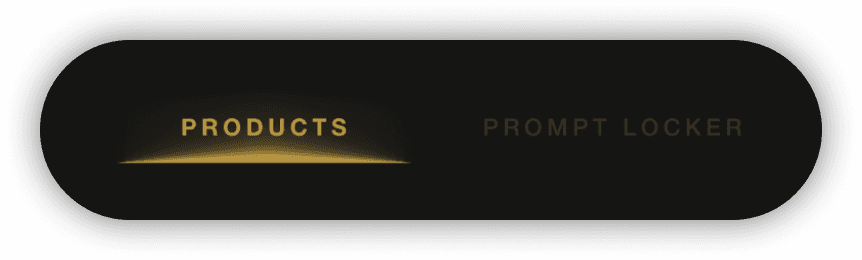
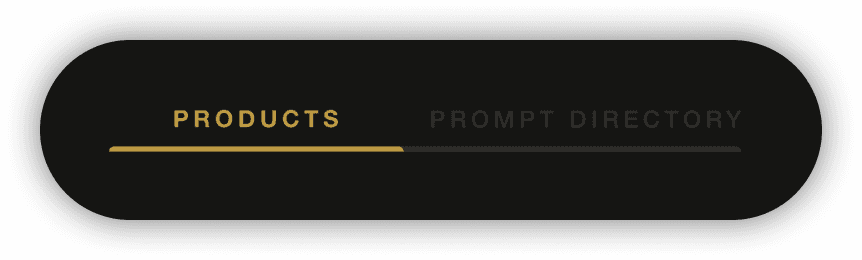
Prototyped some solutions which from AI products to prompt directory
TECH CHALLENGE
Heavy embeds were hard to manage,
but automation made it easy.
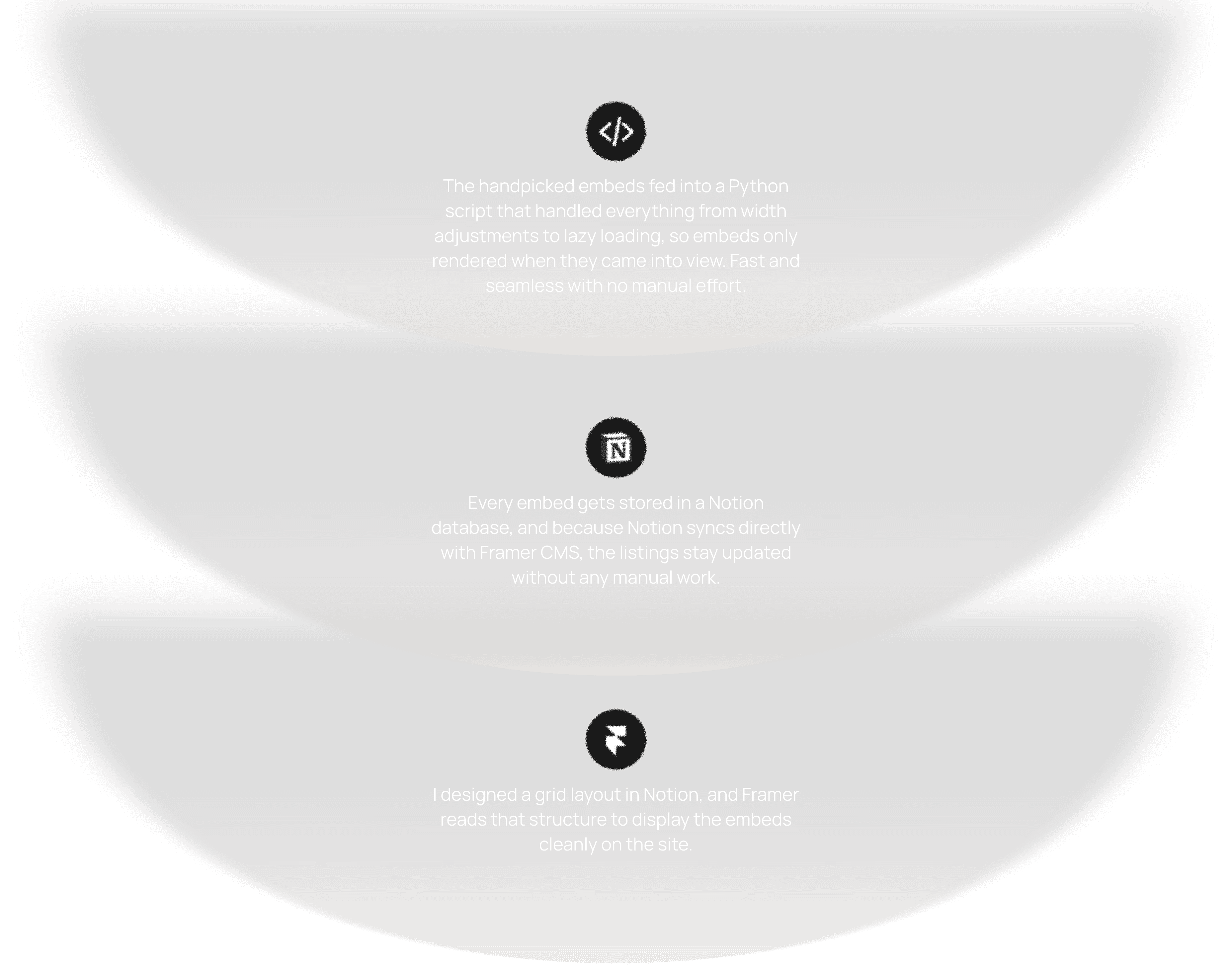
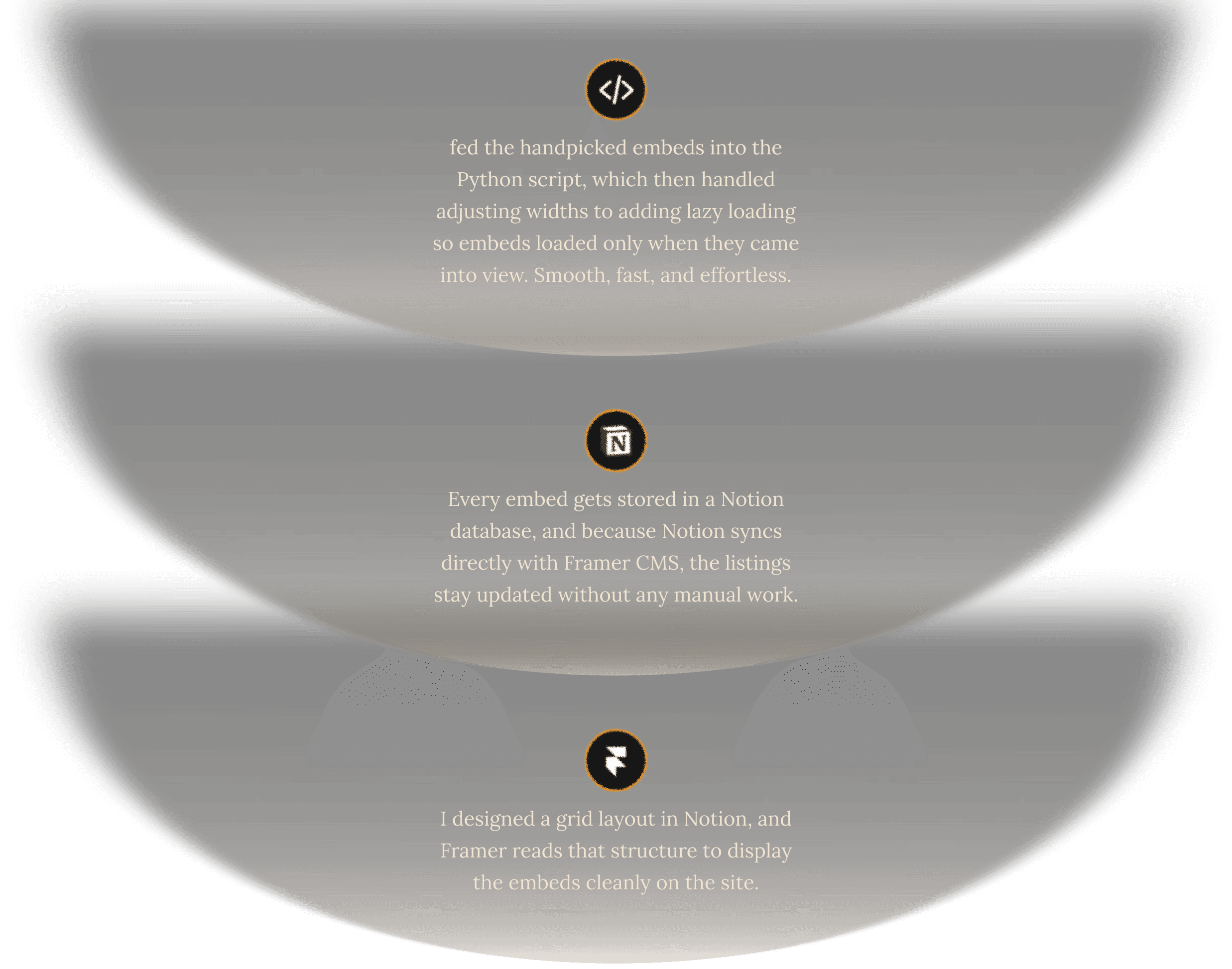
Embedding everything directly started to slow the site down, since multiple embeds were loading at once and making the experience feel heavy and laggy.
To fix this, I built an automation script using ChatGPT and Cursor that creates a smooth pipeline to connect components automatically. This automation streamlined the workflow, reduced manual effort, and made the system far more efficient to maintain and scale.

AUTOMATION
How data is flowing across the site
A glimpse of python script
from flask import Flask, request, render_template_string import html import requests import os app = Flask(__name__) NOTION_TOKEN = os.getenv("NOTION_TOKEN", "secret_xyz123") DATABASE_ID = os.getenv("NOTION_DATABASE_ID", "your_database_id") NOTION_VERSION = "2022-06-28" JS_SNIPPET = """ <script> document.addEventListener("DOMContentLoaded", function () { const placeholders = document.querySelectorAll(".tweet-placeholder"); const loadTweet = (el) => { const html = el.dataset.embed.replace(/'/g, "'"); el.innerHTML = html; if (!window.twttr) { let script = document.createElement("script"); script.src = "https://platform.twitter.com/widgets.js"; script.async = true; document.body.appendChild(script); } else { window.twttr.widgets.load(el); } }; const observer = new IntersectionObserver((entries, obs) => { entries.forEach(entry => { if (entry.isIntersecting) { loadTweet(entry.target); obs.unobserve(entry.target); } }); }); placeholders.forEach(el => observer.observe(el)); }); </script> """ WIDTH = 500 def add_embed_to_notion(embed_html): url = "https://api.notion.com/v1/pages" headers = { "Authorization": f"Bearer {NOTION_TOKEN}", "Content-Type": "application/json", "Notion-Version": NOTION_VERSION, } data = { "parent": {"database_id": DATABASE_ID}, "properties": { "Name": { "title": [ { "text": { "content": "Twitter Embed" } } ] }, "EmbedCode": { "rich_text": [ { "text": { "content": embed_html } } ] } } } response = requests.post(url, headers=headers, json=data) response.raise_for_status() return response.json() @app.route("/", methods=["GET", "POST"]) def index(): transformed_embeds = [] if request.method == "POST": raw_embeds = request.form.get("embeds", "") # Split embeds by double line break or add custom split logic as needed embed_list = [e.strip() for e in raw_embeds.split('\n\n') if e.strip()] for embed in embed_list: # Directly use the provided embed code (no parsing, since it's already valid HTML) # Escape single quotes for safe use in data-embed attribute escaped_html = html.escape(embed).replace("'", "'") # Heuristic for reasonable height: 500->950px height = min(max(500, len(embed)), 950) transformed = f""" <div style="width:{WIDTH}px; height:{height}px; overflow:hidden;" class="tweet-placeholder" data-embed='{escaped_html}'> <div style="color:#777; display:flex; align-items:center; justify-content:center; height:100%;"> Loading Tweet… </div> </div> """ transformed_embeds.append(transformed) add_embed_to_notion(transformed) final_output = "\n".join(transformed_embeds) + JS_SNIPPET return render_template_string(""" <html> <head><title>Transformed Embeds Output</title></head> <body style="background-color:#181818; color:#eee; font-family:sans-serif;"> <h2>Transformed Embeds Output & Notion Upload Complete</h2> <p><a href="/">Back</a></p> <div>{{ output|safe }}</div> </body> </html> """, output=final_output) # GET = show textarea form return ''' <html> <head><title>Embed Transformer</title></head> <body style="background-color:#181818; color:#eee; font-family:sans-serif;"> <h1>Paste your Embed Codes</h1> <form method="post"> <textarea name="embeds" rows="20" cols="80" placeholder="Paste embed codes here, separated by blank lines"></textarea><br><br> <button type="submit">Transform & Push to Notion</button> </form> </body> </html>
Final Design that went live.
The Vault
build from 0 → 1
OVERVIEW
Vault is a curated hub I built from scratch, showcasing AI-built products
& experiments by designers.
OVERVIEW
Vault is a curated hub I built from scratch to showcase AI-built products and experiments by designers, with a focus on both the work and the human stories behind it. The platform brings together product cards, creator notes, and a Prompt Directory so designers can discover ideas, learn from others’ workflows, and reuse prompts in their own practice.
MY ROLE
The goal was to build a space where design meets AI, showcasing creative experiments and ideas by designers.
As a designer and developer, I crafted the UI/UX in Figma and handled development in Framer, ensuring the experience felt seamless and intuitive.
I also wrote a Python script that created a data pipeline for embeds, allowing projects to be listed directly on pages from the script itself, automating what was once a manual process.
Secondary research
Started studying how designers showcase their products and noticed 4 common patterns in how designers share their AI projects online.
RESEARCH PHASE
Tools used
A lot of designers talked about the tools behind their work, and it helped me understand how their AI ideas actually came together.
DESIGN PHASE
I prototyped multiple solutions using claude code
The final design took shape and went live
LIVE DESIGN
After the launch : Understanding how users
are using this platform.
REVISITING RESEARCH
From a webinar where designers showcased their AI-made products,
I noticed that people wanted two things:
a way to connect with the creator and a glimpse into the story
behind that work. So we added a LinkedIn button for easy connection and a small creator notes section to share the process.
Simple changes that made the whole experience feel more human.
From a webinar where designers showcased their AI-made products,
I noticed that people wanted two things:
a way to connect with the creator and a glimpse into the story
behind that work. So we added a LinkedIn button for easy connection and a small creator notes section to share the process.
Simple changes that made the whole experience feel more human.
Prototyped some solutions which switch from AI products to prompt directory
EXPLORING COMPONENTS
Heavy embeds were hard to manage,
but automation made it easy.
Embedding everything directly started to slow the site down, since multiple embeds were loading at once and making the experience feel heavy and laggy.
To fix this, I built an automation script using ChatGPT and Cursor that creates a smooth pipeline to connect components automatically. This automation streamlined the workflow, reduced manual effort, and made the system far more efficient to maintain and scale.
TECH CHALLENGE
How data is flowing across the site
A glimpse of python script
from flask import Flask, request, render_template_string import html import requests import os app = Flask(__name__) NOTION_TOKEN = os.getenv("NOTION_TOKEN", "secret_xyz123") DATABASE_ID = os.getenv("NOTION_DATABASE_ID", "your_database_id") NOTION_VERSION = "2022-06-28" JS_SNIPPET = """ <script> document.addEventListener("DOMContentLoaded", function () { const placeholders = document.querySelectorAll(".tweet-placeholder"); const loadTweet = (el) => { const html = el.dataset.embed.replace(/'/g, "'"); el.innerHTML = html; if (!window.twttr) { let script = document.createElement("script"); script.src = "https://platform.twitter.com/widgets.js"; script.async = true; document.body.appendChild(script); } else { window.twttr.widgets.load(el); } }; const observer = new IntersectionObserver((entries, obs) => { entries.forEach(entry => { if (entry.isIntersecting) { loadTweet(entry.target); obs.unobserve(entry.target); } }); }); placeholders.forEach(el => observer.observe(el)); }); </script> """ WIDTH = 500 def add_embed_to_notion(embed_html): url = "https://api.notion.com/v1/pages" headers = { "Authorization": f"Bearer {NOTION_TOKEN}", "Content-Type": "application/json", "Notion-Version": NOTION_VERSION, } data = { "parent": {"database_id": DATABASE_ID}, "properties": { "Name": { "title": [ { "text": { "content": "Twitter Embed" } } ] }, "EmbedCode": { "rich_text": [ { "text": { "content": embed_html } } ] } } } response = requests.post(url, headers=headers, json=data) response.raise_for_status() return response.json() @app.route("/", methods=["GET", "POST"]) def index(): transformed_embeds = [] if request.method == "POST": raw_embeds = request.form.get("embeds", "") # Split embeds by double line break or add custom split logic as needed embed_list = [e.strip() for e in raw_embeds.split('\n\n') if e.strip()] for embed in embed_list: # Directly use the provided embed code (no parsing, since it's already valid HTML) # Escape single quotes for safe use in data-embed attribute escaped_html = html.escape(embed).replace("'", "'") # Heuristic for reasonable height: 500->950px height = min(max(500, len(embed)), 950) transformed = f""" <div style="width:{WIDTH}px; height:{height}px; overflow:hidden;" class="tweet-placeholder" data-embed='{escaped_html}'> <div style="color:#777; display:flex; align-items:center; justify-content:center; height:100%;"> Loading Tweet… </div> </div> """ transformed_embeds.append(transformed) add_embed_to_notion(transformed) final_output = "\n".join(transformed_embeds) + JS_SNIPPET return render_template_string(""" <html> <head><title>Transformed Embeds Output</title></head> <body style="background-color:#181818; color:#eee; font-family:sans-serif;"> <h2>Transformed Embeds Output & Notion Upload Complete</h2> <p><a href="/">Back</a></p> <div>{{ output|safe }}</div> </body> </html> """, output=final_output) # GET = show textarea form return ''' <html> <head><title>Embed Transformer</title></head> <body style="background-color:#181818; color:#eee; font-family:sans-serif;"> <h1>Paste your Embed Codes</h1> <form method="post"> <textarea name="embeds" rows="20" cols="80" placeholder="Paste embed codes here, separated by blank lines"></textarea><br><br> <button type="submit">Transform & Push to Notion</button> </form> </body> </html>
AUTOMATION
Final Design that went live.
The Vault
build from scratch
The Vault
build from 0 → 1
The Vault
build from 0 → 1
OVERVIEW
OVERVIEW
Vault is a curated hub I built from scratch, showcasing AI-built products
& experiments by designers.
Vault is a curated hub I built from scratch, showcasing AI-built products
& experiments by designers.
Vault is a curated hub I built from scratch, showcasing AI-built products
& experiments by designers.
OVERVIEW
OVERVIEW
The goal was to build a space where design meets AI showcasing creative experiments and ideas by designers.
Beyond just products, the focus was to humanize the experience, highlighting creators’ stories, process, and inspiration through features like LinkedIn integration and creator notes.
We also aimed to inspire learning with a Prompt Directory and improve performance through automation and lazy loading, fostering a growing AI design community.
Vault is a curated hub I built from scratch to showcase AI-built products and experiments by designers, with a focus on both the work and the human stories behind it. The platform brings together product cards, creator notes, and a Prompt Directory so designers can discover ideas, learn from others’ workflows, and reuse prompts in their own practice.
Vault is a curated hub I built from scratch to showcase AI-built products and experiments by designers, with a focus on both the work and the human stories behind it. The platform brings together product cards, creator notes, and a Prompt Directory so designers can discover ideas, learn from others’ workflows, and reuse prompts in their own practice.
MY ROLE
MY ROLE
he goal was to build a space where design meets AI showcasing creative experiments and ideas by designers.
As a designer and developer, I crafted the UI/UX in Figma and handled development in Framer, ensuring the experience felt seamless and intuitive.
I also wrote a Python script that created a data pipeline for embeds, allowing projects to be listed directly on pages from the script itself, automating what was once a manual process.
The goal was to build a space where design meets AI showcasing creative experiments and ideas by designers.
As a designer and developer, I crafted the UI/UX in Figma and handled development in Framer, ensuring the experience felt seamless and intuitive.
I also wrote a Python script that created a data pipeline for embeds, allowing projects to be listed directly on pages from the script itself, automating a manual process.
The goal was to build a space where design meets AI showcasing creative experiments and ideas by designers.
As a designer and developer, I crafted the UI/UX in Figma and handled development in Framer, ensuring the experience felt seamless and intuitive.
I also wrote a Python script that created a data pipeline for embeds, allowing projects to be listed directly on pages from the script itself, automating what was once a manual process.
Started with research
Started studying how designers showcase their products and noticed
4 common patterns in how designers share their AI projects online.
Started with research
Started studying how designers
showcase their products and noticed 4 common patterns in how designers share their AI projects online.
Tools used
Tools used
A lot of designers talked about the tools behind their work, and it helped me understand how their AI ideas actually came together.
A lot of designers talked about the tools behind their work, and it helped me understand how their AI ideas actually came together.
A lot of designers talked about the tools behind their work, and it helped me understand how their AI ideas actually came together.
Tools used
Product type
Tools used
A lot of designers talked about the tools behind their work, and it helped me understand how their AI ideas actually came together.
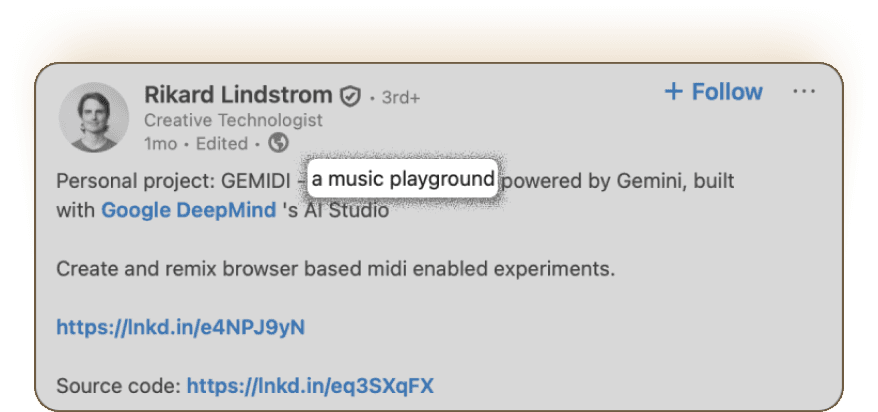
Designers frequently included the product type, targeting sector in industry like e-commerce, music or a plugin for figma
A lot of designers talked about the tools behind their work, and it helped me understand how their AI ideas actually came together.
Product type
Description
Product type
Designers frequently included the product type, targeting sector in industry like e-commerce, music or a plugin for figma
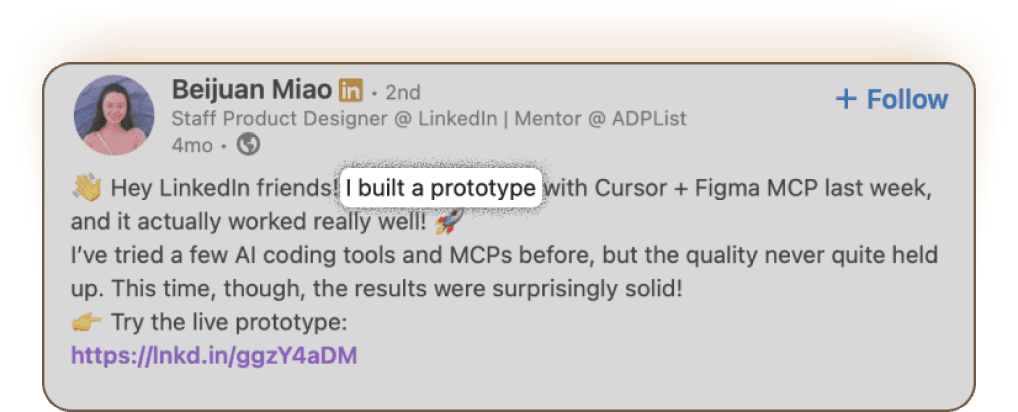
Many designers shared a quick overview of their project a brief into what they built and why. Some of its features and how to use it also was mentioned
Designers frequently included the product type, targeting sector in industry like e-commerce, music or a plugin for figma
Description
Status
Description
Many designers shared a quick overview of their project a brief into what they built and why. Some of its features and how to use it also was mentioned
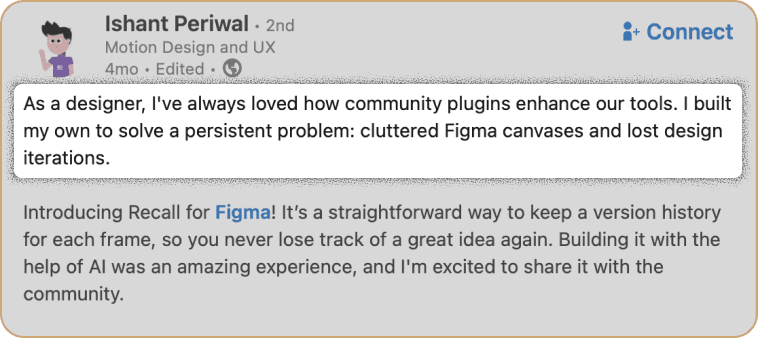
They also shared whether their ideas currently exist as live, functioning products being used by real people, or if they are still in the prototype stage.
Many designers shared a quick overview of their project a brief into what they built and why. Some of its features and how to use it also was mentioned
RESEARCH PHASE
RESEARCH PHASE
RESEARCH PHASE
RESEARCH PHASE
Tools used
A lot of designers talked about the tools behind their work, and it helped me understand how their AI ideas actually came together.
Product type
Designers frequently included the product type, targeting sector in industry like e-commerce, music or a plugin for figma
Description
Many designers shared a quick overview of their project a brief into what they built and why. Some of its features and how to use it also was mentioned

Status
They also shared whether their ideas currently exist as live, functioning products being used by real people, or if they are still in the prototype stage.
We prototyped multiple solutions
I prototyped multiple solutions using claude code
I prototyped multiple solutions using claude code
DESIGN PHASE
DESIGN PHASE
DESIGN PHASE
DESIGN PHASE


After exploring multiple prototypes.
The final design took shape and went live
The final design took shape and went live
The final design took shape and went live
LIVE DESIGN
LIVE DESIGN

After the launch : Understanding how users
are using this platform.
I prototyped multiple solutions using claude code and cursor
After the launch : Understanding how users
are using this platform.
REVISITING RESEARCH
REVISITING RESEARCH
From a webinar where designers showcased their AI-made products, I noticed that people wanted two things:
a way to connect with the creator and a glimpse into the story
behind that work. So we added a LinkedIn button for easy connection and a small creator notes section
to share the process.
Simple changes that made the whole experience
feel more human.
During a webinar where designers showcased their AI‑made products, I noticed a recurring behavioral pattern: people wanted a direct line to the creator and a peek into the story behind each project. In response,
I introduced a LinkedIn CTA for seamless contact and a lightweight ‘creator notes’ section that surfaces process, context, and intent. These small UX additions made the gallery feel more human, shifting it from a static wall of projects to a space for connection and conversation
During a webinar where designers showcased their AI‑made products, I noticed a recurring behavioral pattern: people wanted a direct line to the creator and a peek into the story behind each project.
In response, I introduced a LinkedIn CTA for seamless contact and a lightweight ‘creator notes’ section that surfaces process, context, and intent. These small UX additions made the gallery feel more human, shifting it from a static wall of projects to a space for connection and conversation
From a webinar where designers showcased their AI-made products,
I noticed that people wanted two things:
a way to connect with the creator and a glimpse into the story
behind that work. So we added a LinkedIn button for easy connection and a small creator notes section to share the process.
Simple changes that made the whole experience feel more human.
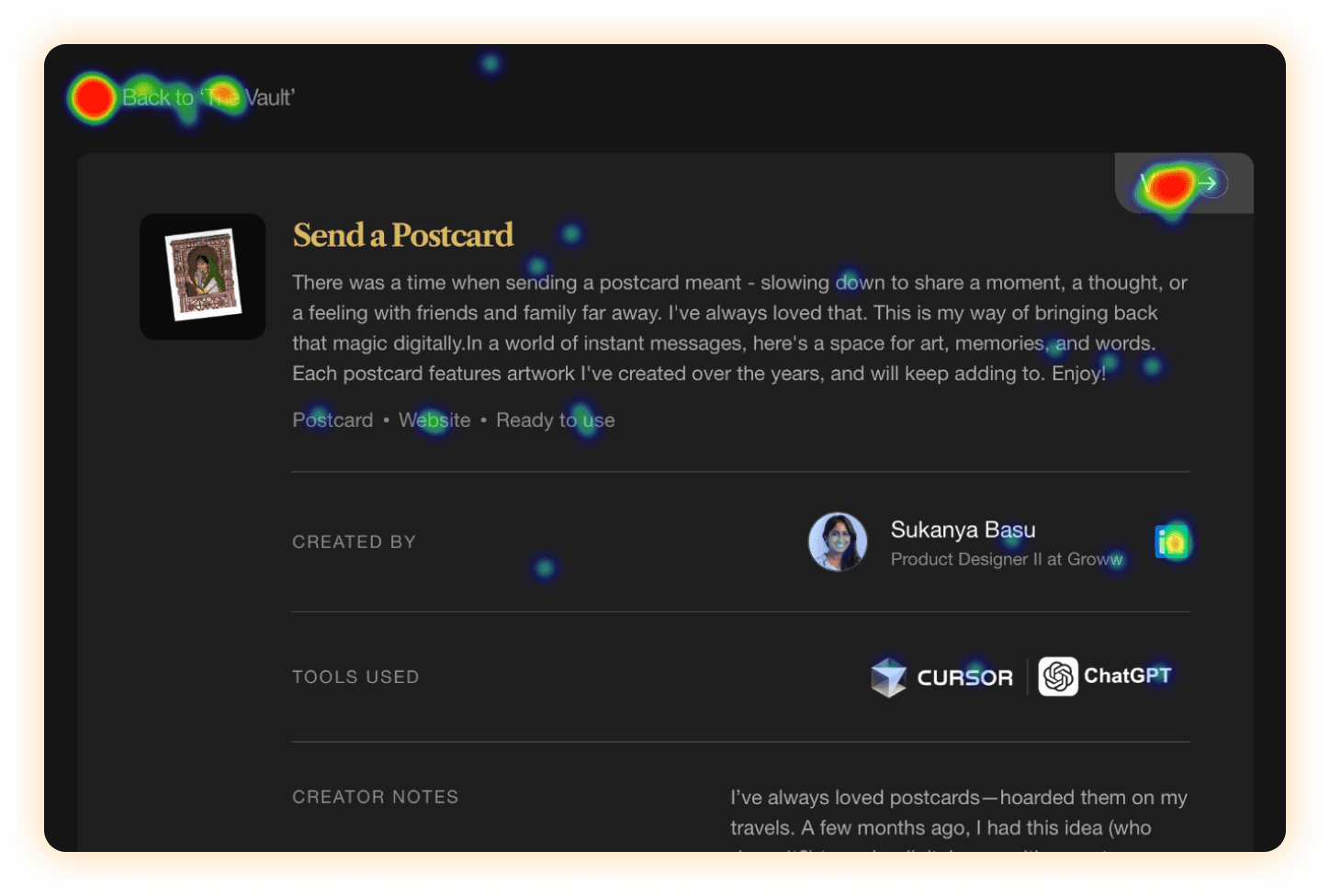
Heatmap to track user engagement
Heatmap to track user engagement
Prototyped some solutions which switch from AI products to prompt directory
Prototyped some solutions which switch from AI products to prompt directory
Prototyped some solutions which switch from AI products to prompt directory
EXPLORING COMPONENTS
EXPLORING COMPONENTS
Heavy embeds were hard to manage,
but automation made it easy.
Heavy embeds were hard to manage,
but automation made it easy.
Heavy embeds were hard to manage,
but automation made it easy.
Embedding everything directly started slowing the site down multiple embeds loaded at once, making the experience heavy and laggy.
To fix this, I built an automation script with ChatGPT and Cursor, creating a smooth pipeline that connects components automatically.
This streamlined the workflow, reduced manual effort, and made the overall system far more efficient to maintain and scale.
Embedding everything directly started slowing the site down multiple embeds loaded at once, making the experience heavy and laggy.
To fix this, I built an automation script with ChatGPT and Cursor, creating a smooth pipeline that connects components automatically.
This streamlined the workflow, reduced manual effort, and made the overall system far more efficient to maintain and scale.
Embedding everything directly started slowing the site down multiple embeds loaded at once, making the experience heavy and laggy.
To fix this, I built an automation script with ChatGPT and Cursor, creating a smooth pipeline that connects components automatically.
This streamlined the workflow, reduced manual effort, and made the overall system far more efficient to maintain and scale.
TECH CHALLENGE
TECH CHALLENGE
How data is flowing across the site
How data is flowing across the site
How data is flowing across the site
A glimpse of python script
A glimpse of python script
A glimpse of python script
from flask import Flask, request, render_template_string import html import requests import os app = Flask(__name__) NOTION_TOKEN = os.getenv("NOTION_TOKEN", "secret_xyz123") DATABASE_ID = os.getenv("NOTION_DATABASE_ID", "your_database_id") NOTION_VERSION = "2022-06-28" JS_SNIPPET = """ <script> document.addEventListener("DOMContentLoaded", function () { const placeholders = document.querySelectorAll(".tweet-placeholder"); const loadTweet = (el) => { const html = el.dataset.embed.replace(/'/g, "'"); el.innerHTML = html; if (!window.twttr) { let script = document.createElement("script"); script.src = "https://platform.twitter.com/widgets.js"; script.async = true; document.body.appendChild(script); } else { window.twttr.widgets.load(el); } }; const observer = new IntersectionObserver((entries, obs) => { entries.forEach(entry => { if (entry.isIntersecting) { loadTweet(entry.target); obs.unobserve(entry.target); } }); }); placeholders.forEach(el => observer.observe(el)); }); </script> """ WIDTH = 500 def add_embed_to_notion(embed_html): url = "https://api.notion.com/v1/pages" headers = { "Authorization": f"Bearer {NOTION_TOKEN}", "Content-Type": "application/json", "Notion-Version": NOTION_VERSION, } data = { "parent": {"database_id": DATABASE_ID}, "properties": { "Name": { "title": [ { "text": { "content": "Twitter Embed" } } ] }, "EmbedCode": { "rich_text": [ { "text": { "content": embed_html } } ] } } } response = requests.post(url, headers=headers, json=data) response.raise_for_status() return response.json() @app.route("/", methods=["GET", "POST"]) def index(): transformed_embeds = [] if request.method == "POST": raw_embeds = request.form.get("embeds", "") # Split embeds by double line break or add custom split logic as needed embed_list = [e.strip() for e in raw_embeds.split('\n\n') if e.strip()] for embed in embed_list: # Directly use the provided embed code (no parsing, since it's already valid HTML) # Escape single quotes for safe use in data-embed attribute escaped_html = html.escape(embed).replace("'", "'") # Heuristic for reasonable height: 500->950px height = min(max(500, len(embed)), 950) transformed = f""" <div style="width:{WIDTH}px; height:{height}px; overflow:hidden;" class="tweet-placeholder" data-embed='{escaped_html}'> <div style="color:#777; display:flex; align-items:center; justify-content:center; height:100%;"> Loading Tweet… </div> </div> """ transformed_embeds.append(transformed) add_embed_to_notion(transformed) final_output = "\n".join(transformed_embeds) + JS_SNIPPET return render_template_string(""" <html> <head><title>Transformed Embeds Output</title></head> <body style="background-color:#181818; color:#eee; font-family:sans-serif;"> <h2>Transformed Embeds Output & Notion Upload Complete</h2> <p><a href="/">Back</a></p> <div>{{ output|safe }}</div> </body> </html> """, output=final_output) # GET = show textarea form return ''' <html> <head><title>Embed Transformer</title></head> <body style="background-color:#181818; color:#eee; font-family:sans-serif;"> <h1>Paste your Embed Codes</h1> <form method="post"> <textarea name="embeds" rows="20" cols="80" placeholder="Paste embed codes here, separated by blank lines"></textarea><br><br> <button type="submit">Transform & Push to Notion</button> </form> </body> </html>
from flask import Flask, request, render_template_string import html import requests import os app = Flask(__name__) NOTION_TOKEN = os.getenv("NOTION_TOKEN", "secret_xyz123") DATABASE_ID = os.getenv("NOTION_DATABASE_ID", "your_database_id") NOTION_VERSION = "2022-06-28" JS_SNIPPET = """ <script> document.addEventListener("DOMContentLoaded", function () { const placeholders = document.querySelectorAll(".tweet-placeholder"); const loadTweet = (el) => { const html = el.dataset.embed.replace(/'/g, "'"); el.innerHTML = html; if (!window.twttr) { let script = document.createElement("script"); script.src = "https://platform.twitter.com/widgets.js"; script.async = true; document.body.appendChild(script); } else { window.twttr.widgets.load(el); } }; const observer = new IntersectionObserver((entries, obs) => { entries.forEach(entry => { if (entry.isIntersecting) { loadTweet(entry.target); obs.unobserve(entry.target); } }); }); placeholders.forEach(el => observer.observe(el)); }); </script> """ WIDTH = 500 def add_embed_to_notion(embed_html): url = "https://api.notion.com/v1/pages" headers = { "Authorization": f"Bearer {NOTION_TOKEN}", "Content-Type": "application/json", "Notion-Version": NOTION_VERSION, } data = { "parent": {"database_id": DATABASE_ID}, "properties": { "Name": { "title": [ { "text": { "content": "Twitter Embed" } } ] }, "EmbedCode": { "rich_text": [ { "text": { "content": embed_html } } ] } } } response = requests.post(url, headers=headers, json=data) response.raise_for_status() return response.json() @app.route("/", methods=["GET", "POST"]) def index(): transformed_embeds = [] if request.method == "POST": raw_embeds = request.form.get("embeds", "") # Split embeds by double line break or add custom split logic as needed embed_list = [e.strip() for e in raw_embeds.split('\n\n') if e.strip()] for embed in embed_list: # Directly use the provided embed code (no parsing, since it's already valid HTML) # Escape single quotes for safe use in data-embed attribute escaped_html = html.escape(embed).replace("'", "'") # Heuristic for reasonable height: 500->950px height = min(max(500, len(embed)), 950) transformed = f""" <div style="width:{WIDTH}px; height:{height}px; overflow:hidden;" class="tweet-placeholder" data-embed='{escaped_html}'> <div style="color:#777; display:flex; align-items:center; justify-content:center; height:100%;"> Loading Tweet… </div> </div> """ transformed_embeds.append(transformed) add_embed_to_notion(transformed) final_output = "\n".join(transformed_embeds) + JS_SNIPPET return render_template_string(""" <html> <head><title>Transformed Embeds Output</title></head> <body style="background-color:#181818; color:#eee; font-family:sans-serif;"> <h2>Transformed Embeds Output & Notion Upload Complete</h2> <p><a href="/">Back</a></p> <div>{{ output|safe }}</div> </body> </html> """, output=final_output) # GET = show textarea form return ''' <html> <head><title>Embed Transformer</title></head> <body style="background-color:#181818; color:#eee; font-family:sans-serif;"> <h1>Paste your Embed Codes</h1> <form method="post"> <textarea name="embeds" rows="20" cols="80" placeholder="Paste embed codes here, separated by blank lines"></textarea><br><br> <button type="submit">Transform & Push to Notion</button> </form> </body> </html>
AUTOMATION
AUTOMATION
AUTOMATION
AUTOMATION
Final Design that went live.
Final Design that went live.
Final Design
PC